

-
×
 WP Multilingual (WPML) – BUNDLE × 1
- Includes:
WordPress Multilingual CMS WordPress Plugin × 1
WordPress Multilingual String Translation Addon × 1
Woocommerce Multilingual × 1
WordPress Multilingual CMS Navigation × 1
WordPress Multilingual Translation Management Addon × 1
WordPress Multilingual Yoast SEO Addon × 1
WordPress Multilingual Contact Form 7 Addon × 1
WordPress Multilingual MailChimp × 1
WordPress Multilingual Sticky Links Add-On × 1
WordPress Multilingual Compatibility Test Tools Addon × 1
WordPress Multilingual Marketpress Add-On × 1
WordPress Multilingual All Import Addon × 1
WordPress Multilingual Media Add-On × 1
WordPress Multilingual Translation Analytics Add-On × 1
WordPress Multilingual Gravity Forms Multilingual Add-On × 1
WordPress Multilingual WooCommerce Gateways Country Limiter Add-On × 1
WordPress Multilingual CMS Nav Add-On × 1
-
×
Travel Booking WordPress Theme
1 × 4.49$
-
×
WooCommerce Klarna
1 × 0.00$
-
×
Sensei Media Attachments
1 × 0.00$
-
×
Sensei Course Progress
1 × 0.00$
-
×
Elementor PRO WordPress Page Builder + Pro Templates
1 × 4.49$
-
×
JetEngine For Elementor
1 × 4.49$
-
×
Boss for LearnDash / Social Learner for LearnDash
1 × 4.49$
-
×
WooCommerce Subscriptions
1 × 4.49$
-
×
JNews – WordPress Newspaper Magazine Blog AMP Theme
1 × 4.49$
-
×
WordPress Multilingual Contact Form 7 Addon
1 × 4.49$
-
×
Aiomatic – Automatic AI Content Writer
1 × 4.49$
-
×
WooCommerce Square for WooCommerce
1 × 0.00$
 WP Multilingual (WPML) – BUNDLE × 1
  Travel Booking WordPress Theme
 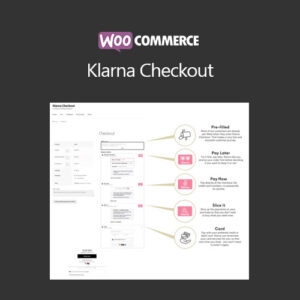 WooCommerce Klarna
  Sensei Media Attachments
  Sensei Course Progress
  Elementor PRO WordPress Page Builder + Pro Templates
  JetEngine For Elementor
  Boss for LearnDash / Social Learner for LearnDash
 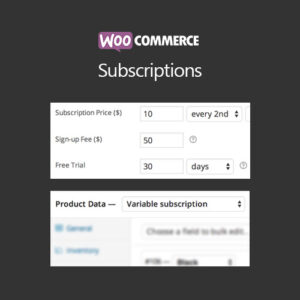 WooCommerce Subscriptions
  JNews – WordPress Newspaper Magazine Blog AMP Theme
  WordPress Multilingual Contact Form 7 Addon
  Aiomatic – Automatic AI Content Writer
  WooCommerce Square for WooCommerce
 Subtotal: 50.41$






Reviews
There are no reviews yet.