

-
×
 WooCommerce Multi Currency – Currency Switcher
1 × 4.49$
WooCommerce Multi Currency – Currency Switcher
1 × 4.49$ -
×
WP Rocket by WP Media
1 × 4.49$
-
×
Elegant Themes The Divi Builder
1 × 4.49$
-
×
WooCommerce TM Extra Product Options
1 × 4.49$
-
×
WooCommerce Bookings
1 × 4.49$
-
×
Shoptimizer – Fastest WooCommerce WordPress Themes
1 × 4.49$
-
×
Martfury – WooCommerce Marketplace WordPress Theme
1 × 4.49$
-
×
Consulting – Business Finance WordPress Theme
1 × 4.49$
-
×
Ultimate Membership Pro
1 × 4.49$
-
×
Publisher – Newspaper Magazine AMP
1 × 4.49$
-
×
Electro Electronics Store WooCommerce Theme
1 × 4.49$
-
×
RyanCV – Resume WordPress Theme
1 × 4.49$
-
×
Shopkeeper – eCommerce WP Theme for WooCommerce
1 × 4.49$
-
×
Woocommerce Multilingual
1 × 4.49$
-
×
Gravity Perks Gravity Forms Date Time Calculator
1 × 0.00$
 WooCommerce Multi Currency – Currency Switcher
  WP Rocket by WP Media
  Elegant Themes The Divi Builder
  WooCommerce TM Extra Product Options
 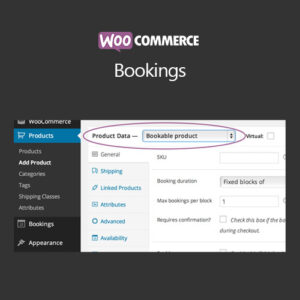 WooCommerce Bookings
  Shoptimizer – Fastest WooCommerce WordPress Themes
  Martfury – WooCommerce Marketplace WordPress Theme
  Consulting – Business Finance WordPress Theme
  Ultimate Membership Pro
  Publisher – Newspaper Magazine AMP
  Electro Electronics Store WooCommerce Theme
  RyanCV – Resume WordPress Theme
  Shopkeeper – eCommerce WP Theme for WooCommerce
  Woocommerce Multilingual
  Gravity Perks Gravity Forms Date Time Calculator
 Subtotal: 62.86$









Reviews
There are no reviews yet.