

-
×
 Seosight – SEO, Digital Marketing Agency WP Theme with Shop
1 × 4.49$
Seosight – SEO, Digital Marketing Agency WP Theme with Shop
1 × 4.49$ -
×
Gravity Perks – Gravity Forms Populate Anything
1 × 0.00$
-
×
Flatsome Multi Purpose Responsive WooCommerce Theme
1 × 4.49$
-
×
Wordfence Security Premium
1 × 4.49$
-
×
WordPress WooCommerce SEO Premium
1 × 4.49$
-
×
WordPress Multilingual CMS WordPress Plugin
1 × 4.49$
-
×
AffiliateWP – Affiliate Area Tabs
1 × 0.00$
-
×
MyThemeShop My WP Mega Menu
1 × 4.49$
-
×
WordPress Video SEO Premium
1 × 4.49$
-
×
ShadePro – Multi-Purpose WordPress Theme
1 × 4.49$
-
×
Zox News – Professional WordPress News & Magazine Theme
1 × 4.49$
-
×
Gravity Perks – Gravity Forms Preview Submission
1 × 0.00$
-
×
EventOn Daily View
1 × 4.49$
-
×
Gravity Perks – Gravity Forms Better User Activation
1 × 0.00$
-
×
Porto | Multipurpose & WooCommerce Theme
1 × 4.49$
-
×
GeoDirectory Google Analytics
1 × 0.00$
-
×
LearnDash LMS Restrict Content Pro Integration
1 × 0.00$
-
×
Amazon Pay WooCommerce payment gateway
1 × 0.00$
-
×
MyThemeShop WP Google Translate
1 × 4.49$
-
×
Gravity Perks – Gravity Forms Conditional Pricing
1 × 0.00$
 Seosight – SEO, Digital Marketing Agency WP Theme with Shop
  Gravity Perks – Gravity Forms Populate Anything
  Flatsome Multi Purpose Responsive WooCommerce Theme
  Wordfence Security Premium
  WordPress WooCommerce SEO Premium
  WordPress Multilingual CMS WordPress Plugin
  AffiliateWP – Affiliate Area Tabs
  MyThemeShop My WP Mega Menu
  WordPress Video SEO Premium
  ShadePro – Multi-Purpose WordPress Theme
  Zox News – Professional WordPress News & Magazine Theme
  Gravity Perks – Gravity Forms Preview Submission
  EventOn Daily View
  Gravity Perks – Gravity Forms Better User Activation
  Porto | Multipurpose & WooCommerce Theme
  GeoDirectory Google Analytics
  LearnDash LMS Restrict Content Pro Integration
 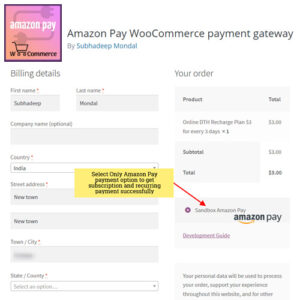 Amazon Pay WooCommerce payment gateway
  MyThemeShop WP Google Translate
  Gravity Perks – Gravity Forms Conditional Pricing
 Subtotal: 53.88$


Reviews
There are no reviews yet.